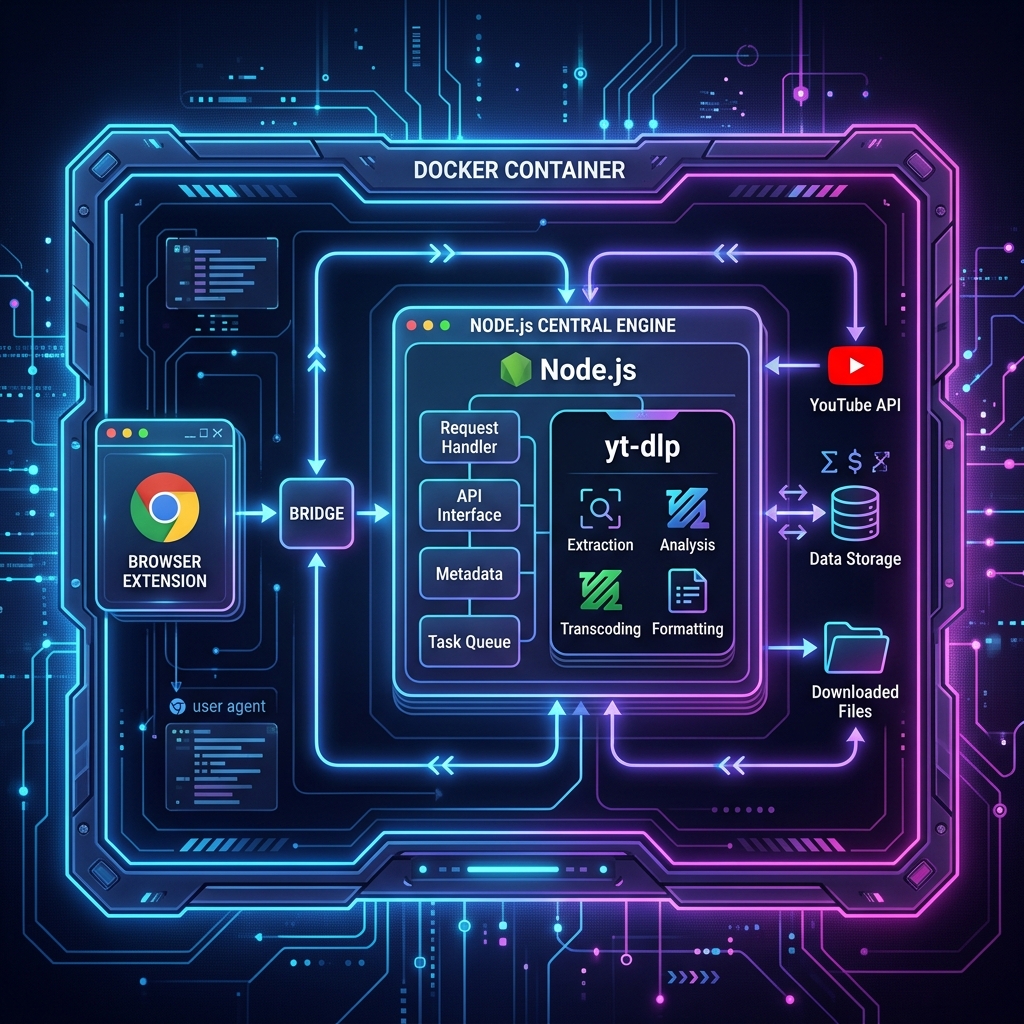
Lately, I’ve been cleaning up my own download tools, and one recurring need is YouTube downloading. While there are plenty of tools out there, YouTube’s increasing restrictions on n-sig have caused many open-source projects to fail when fetching high-quality audio tracks.
After writing code for many years, I care most about whether a tool is maintainable when it fails. I cleaned up the old setup with three goals: it should run, expose useful logs, and make failures easier to locate.
1. Architecture: Why the Complexity?
Many think yt-dlp is just a one-liner. Why bother with extensions, Docker, and backends?
The answer: failure handling matters.
- Cookie Maintenance: Manually exporting
cookies.txtis messy. I wrote a Manifest v3 extension to sync browser sessions to the cloud with a single click. - Environment Isolation: My dev machine is Windows, but the downloader must run in a Linux Docker container with precise control over
ffmpegandyt-dlpversions.
This is the current split:
- Bridge (Extension): Bridging the browser session.
- Engine (Backend): Node.js + Socket.io for process management and real-time logs.
- Infra (Container): Resolving all environmental dependencies.
2. Rolling in the Mud: The Logic Behind Solving n-sig
Recently, my downloader threw an error: n challenge solving failed. YouTube had updated its obfuscation logic, and yt-dlp’s default Python emulator couldn’t crack it.
It’s like “rolling in the mud”—you have to step directly onto the opponent’s battlefield.
Our counter-strategy:
- External JS Solver: Since it’s JS-based obfuscation, use JS to solve it. We integrated
yt-dlp-ejsinto the Docker container. - Forced Node Runtime: Setting
--js-runtimes nodein the config file. This allowsyt-dlpto “spawn” a Node process to run the decryption logic whenever a challenge arises. Rock solid.
3. Deployment: Automation is Dignity
A veteran’s habit is “never do manually what can be automated.” I wrote deploy_remote_v3.py to sync code via SSH and trigger docker-compose rebuilds automatically.
This local-edit, remote-run workflow is easier for me to maintain and debug.